In the privacy-first world of cryptocurrency, Zcash (ZEC) stands out as a beacon for users who demand untraceable transactions without compromising usability. As of December 4, 2025, ZEC trades at $351.88 USD, up 11.53% in the last 24 hours, with a market cap of approximately $5.6 billion and 24-hour trading volume exceeding $1.556 billion.
Whether you’re a beginner dipping into privacy coins or a seasoned HODLer eyeing ZEC’s 2025 prediction of $509 highs, this comprehensive guide covers everything from wallet types to setup steps, comparisons, and pro tips. By the end, you’ll know how to choose, set up, and safeguard your ZEC for the long haul—without falling for common pitfalls like unsupported hardware or phishing scams.
What Is Zcash And Why Do You Need A Dedicated Wallet?
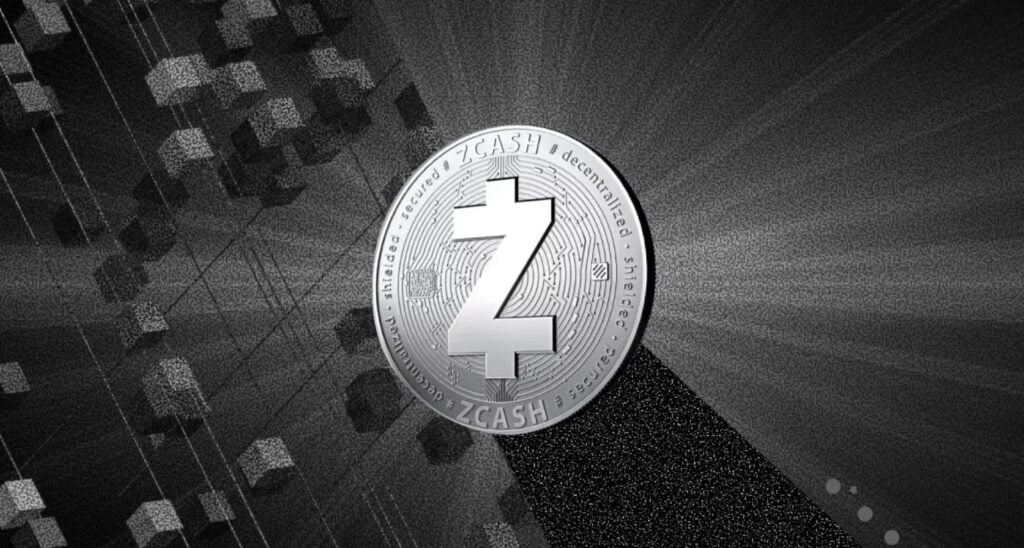
Zcash, launched in 2016 as a fork of Bitcoin, pioneers financial privacy through optional “shielded” transactions. Unlike transparent addresses (visible on the blockchain), shielded ones hide sender, receiver, and amount details using zk-SNARKs—ensuring your financial history stays private by default. This makes ZEC ideal for users in high-risk regions or those prioritizing anonymity over compliance.
A Zcash wallet isn’t just storage—it’s your gateway to these features. Key considerations:
- Privacy Support: Prioritize wallets with Unified Addresses (UA) and Orchard protocol for full shielding.
- Security Levels: Hardware for cold storage; software for hot wallets.
- Usability: Multi-asset support if you trade ZEC alongside BTC or ETH.
- 2025 Trends: With ZEC’s halving reducing rewards and MiCA regulations looming, shielded-capable wallets like Zashi are gaining traction for compliance-friendly privacy.
Without the right wallet, you risk exposing transactions (e.g., on exchanges like Coinbase, which only support transparent ZEC). Let’s explore the types.
Types Of Zcash Wallets: Hardware, Software, Mobile, And More
Zcash wallets span hot (online) and cold (offline) options, each balancing security, convenience, and privacy. Here’s a quick breakdown:
| Wallet Type | Security Level | Privacy Features | Best For | Examples |
|---|---|---|---|---|
| Hardware (Cold) | Highest (offline keys) | Transparent only (shielded incoming Q1 2026) | Long-term HODLers | Ledger Nano X, Trezor Model T |
| Desktop Software | High (local storage) | Full shielded + UA | Power users | ZecWallet Lite, Exodus |
| Mobile | Medium (app-based) | Shielded by default | Daily transactions | Zashi, YWallet |
| Web/Exchange | Low (custodial) | Transparent only | Beginners (short-term) | Coinbase, Kraken |
Hardware wallets like Ledger and Trezor excel for offline security but lag in shielded sends as of late 2025—Ledger promises full support by Q1 2026. Mobile options like Zashi shine for on-the-go privacy, while desktops offer full node integration for advanced verification.
Top Zcash Wallets In 2025: Detailed Reviews and Comparisons
Based on user ratings, security audits, and 2025 updates, here are the standout picks. We prioritized shielded support, ease of use, and multi-asset compatibility.
1. Zashi Wallet (Mobile – Best for Privacy Purists)
Developed by Electric Coin Company (Zcash inventors), Zashi is the gold standard for shielded ZEC. It’s self-custodial, ZEC-only, and defaults to private transactions—perfect for seamless spending at Flexa-integrated merchants like Chipotle.
- Pros: Best-in-class privacy (zk-SNARKs + UA), intuitive UI, biometric security, no KYC.
- Cons: Mobile-only; no multi-asset support.
- Supported OS: iOS, Android.
- Cost: Free.
- User Rating: 4.8/5 (App Store, 2025 data).
- 2025 Update: Enhanced Flexa integration for real-world ZEC payments.
2. Ledger Nano X (Hardware – Best for Secure Storage)
Ledger’s Bluetooth-enabled hardware wallet supports 5,500+ assets, including transparent ZEC via Ledger Live. Pair it with Exodus for a hybrid setup.
- Pros: Offline keys in Secure Element, PIN/passphrase, on-device confirmation; integrates with mobile/desktop.
- Cons: No shielded sends yet (update incoming); $149 price tag.
- Supported OS: All via Ledger Live (Windows, macOS, iOS, Android).
- Cost: $149.
- User Rating: 4.7/5.
- 2025 Update: Firmware v2.2 adds ZEC staking previews.
3. Trezor Model T (Hardware – Best Open-Source Option)
Trezor’s touchscreen hardware emphasizes transparency with open-source firmware, supporting ZEC alongside 8,000+ coins.
- Pros: Shamir backup, CoinJoin mixing, Tor support; fully auditable code.
- Cons: Transparent-only for ZEC; bulkier than Ledger.
- Supported OS: All via Trezor Suite.
- Cost: $179.
- User Rating: 4.6/5.
- 2025 Update: Safe 3 series boosts speed for ZEC transactions.
4. Exodus Wallet (Desktop/Mobile – Best Multi-Asset)
Exodus offers a sleek, beginner-friendly interface for transparent ZEC, with built-in swaps and Trezor integration.
- Pros: Cross-device sync, staking (up to 5% APY on ZEC), 280+ assets; no account needed.
- Cons: No shielded support; past recovery phrase vulnerabilities (patched).
- Supported OS: Windows, macOS, Linux, iOS, Android.
- Cost: Free (0.5% swap fees).
- User Rating: 4.5/5.
- 2025 Update: Web3 browser for ZEC DeFi access.
5. YWallet (Mobile – Best for Messaging Integration)
A privacy-focused messenger-wallet hybrid supporting Zcash and Ycash, with end-to-end encrypted chats.
- Pros: Shielded transactions, multi-coin (ZEC + forks), lightweight.
- Cons: Smaller community; Android-only in some regions.
- Supported OS: Android, iOS (beta).
- Cost: Free.
- User Rating: 4.4/5.
- 2025 Update: Unified Addresses for faster shielding.
Quick Comparison:
- Most Secure: Ledger/Trezor (hardware edge).
- Easiest for Beginners: Exodus/Zashi.
- Full Privacy: Zashi/YWallet (shielded default).
Step-by-Step Guide: How To Set Up A Zcash Wallet In 2025
Ready to store your ZEC? Follow this universal setup (using Zashi as an example; adapt for others).
- Download from Official Source: Visit z.cash/ecosystem or the app store. Avoid third-party links to dodge malware.
- Create/Import Wallet: Generate a 24-word seed phrase—write it offline and store securely (e.g., metal backup). Enable PIN/biometrics.
- Enable Shielding: In settings, toggle “Shielded by Default” and generate a Unified Address (starts with “zs”).
- Receive ZEC: Share your UA via QR code. Confirm on-device for hardware.
- Send Transactions: Select shielded mode, enter recipient UA, and verify fees (default 0.0001 ZEC).
- Backup & Test: Send a micro-transaction (0.001 ZEC) to verify. Update apps quarterly.
Pro Tip: For hardware, connect via USB/Bluetooth and approve via Ledger Live/Trezor Suite.
Final Thoughts: Secure Your ZEC And Ride The 2025 Privacy Wave
With ZEC eyeing $700–$740 by late 2025 amid privacy demand, choosing the right wallet isn’t optional—it’s essential for safeguarding your assets and unlocking Zcash’s full potential.
Ready to dive into crypto? Sign up on Tapbit today and kick off your trading journey in seconds.